
Often if you are working with a client who is inviting their employees to a class, the roster will change frequently with adds and drops.
Rather than having them email you every time there is a change to the roster, you can just give them access to the roster so that they can directly add and drop people from the class roster.
Here are instructions on how to do that [a little convoluted right now]:
Once you create a program, click on the client name.
You will see a screen that looks like:

Then you can create a coordinator:
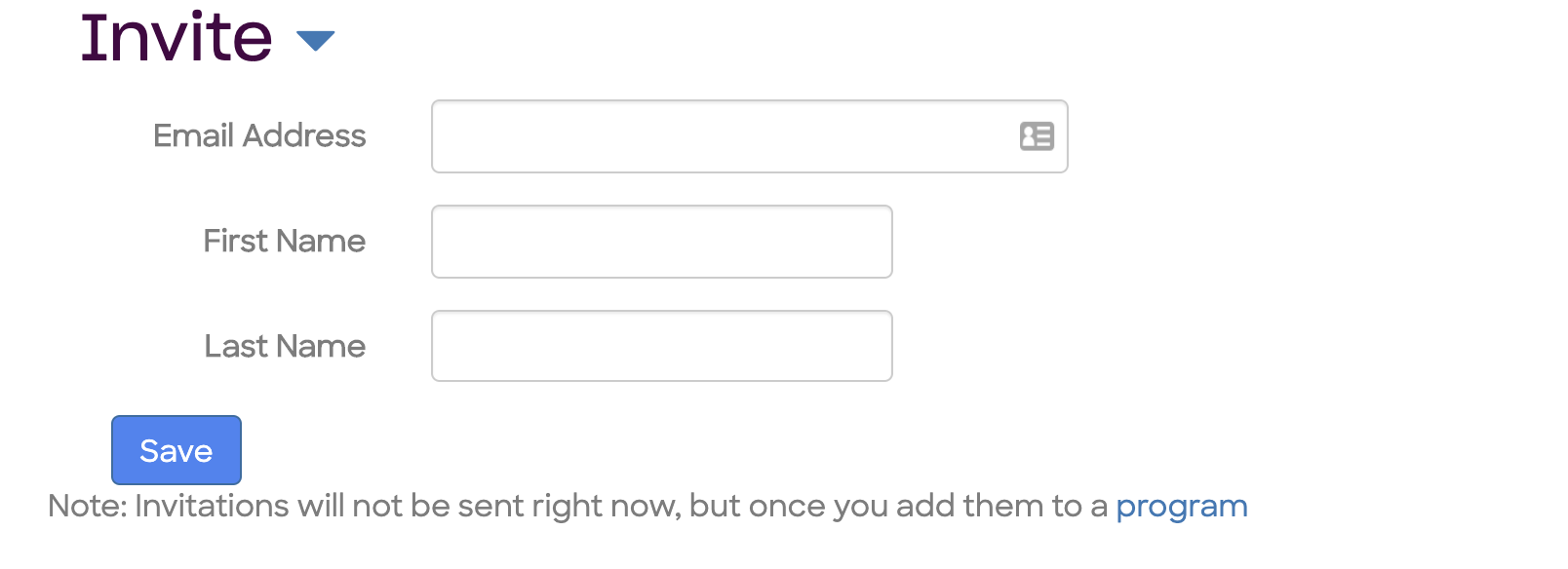
Once you create a client coordinator, go back to the 'edit program' page, and you will see the coordinator(s) you just added:

You can select a coordinator to give access to. At this point, they will get an email inviting them to edit the program.
Comments
5 comments
Frag pro shooter mod apk program emails will automatically get sent to participants through my.siyli.org. In some cases you may want to send an additional adhoc email to participants. To do this, go into the program and click "Participants." Scroll down to the bottom of the page the the section "Send Emails" and select "Custom Email"
green and purple program emails will automatically get sent to participants through my.siyli.org. In some cases you may want to send an additional adhoc email to participants. To do this, go into the program and click "Participants." Scroll down to the bottom of the page the the section "Send Emails" and select "Custom Email"
This website program emails will automatically get sent to participants through my.siyli.org. In some cases you may want to send an additional adhoc email to participants. To do this, go into the program and click "Participants." Scroll down to the bottom of the page the the section "Send Emails" and select "Custom Email"
online study support program emails will automatically get sent to participants through my.siyli.org. In some cases you may want to send an additional adhoc email to participants. To do this, go into the program and click "Participants." Scroll down to the bottom of the page the the section "Send Emails" and select "Custom Email"
@national police clearance system registration My invitation link has expired. Please tell me what I need to do now to access my account.
Please sign in to leave a comment.