
Using a join URL
At the top of your program page you will see a URL that is unique to your program, of the form https://my.siyli.org/j/......
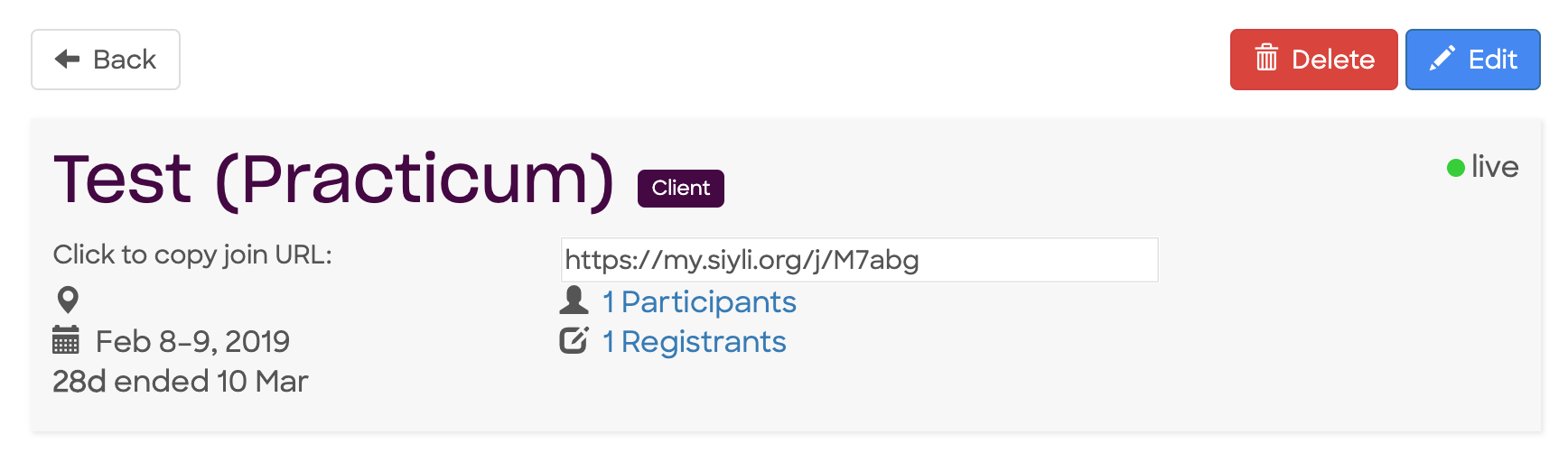
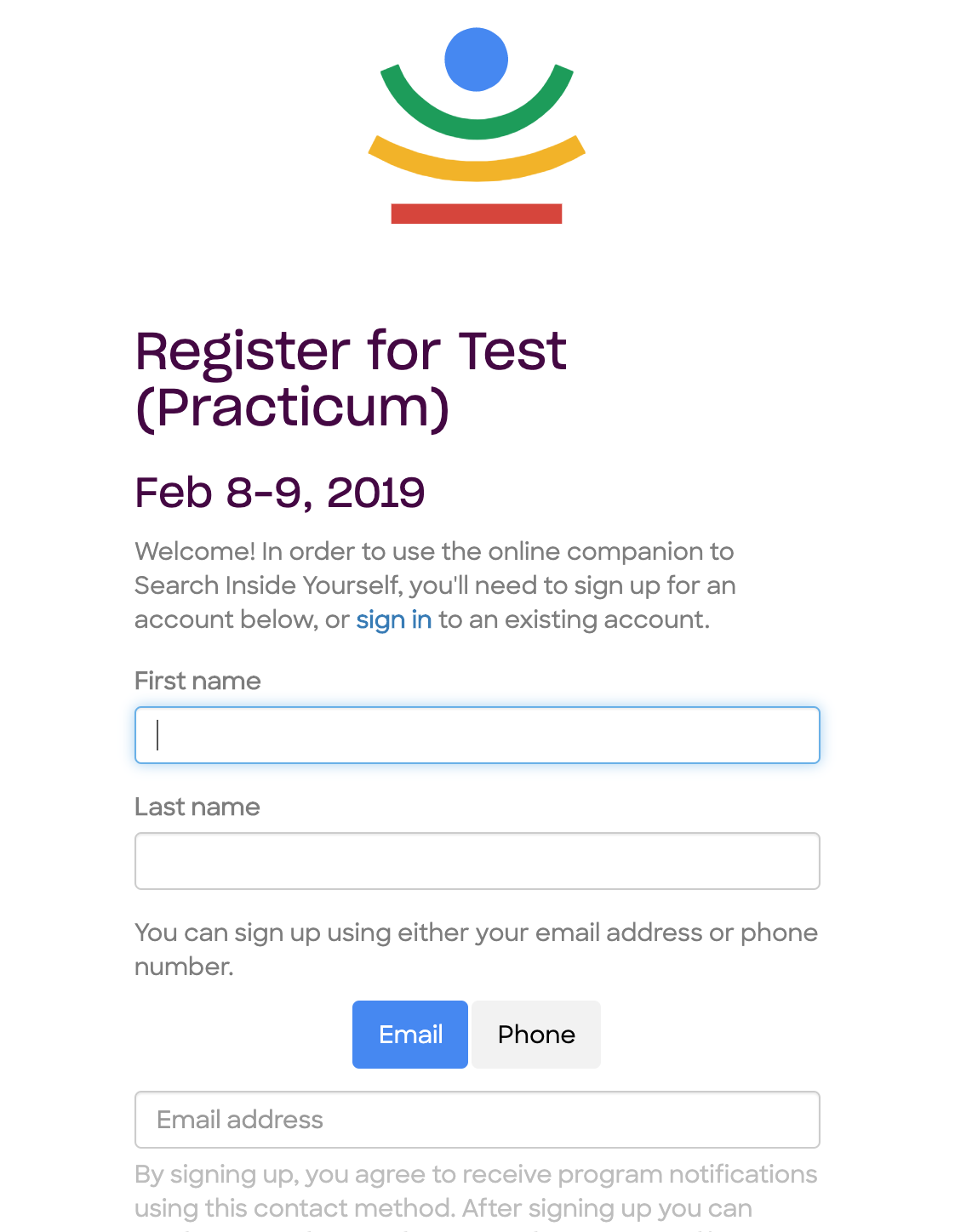
You can customize this URL on the Edit Program page and send it to your participants by any means you'd like. When they visit they will see a form where they can sign up and enroll in your program:
Sending email invitations
After you create a program, the next logical thing might be to invite people to be part of it.
You do this by editing the class roster, where each invited person is termed a 'Registrant':
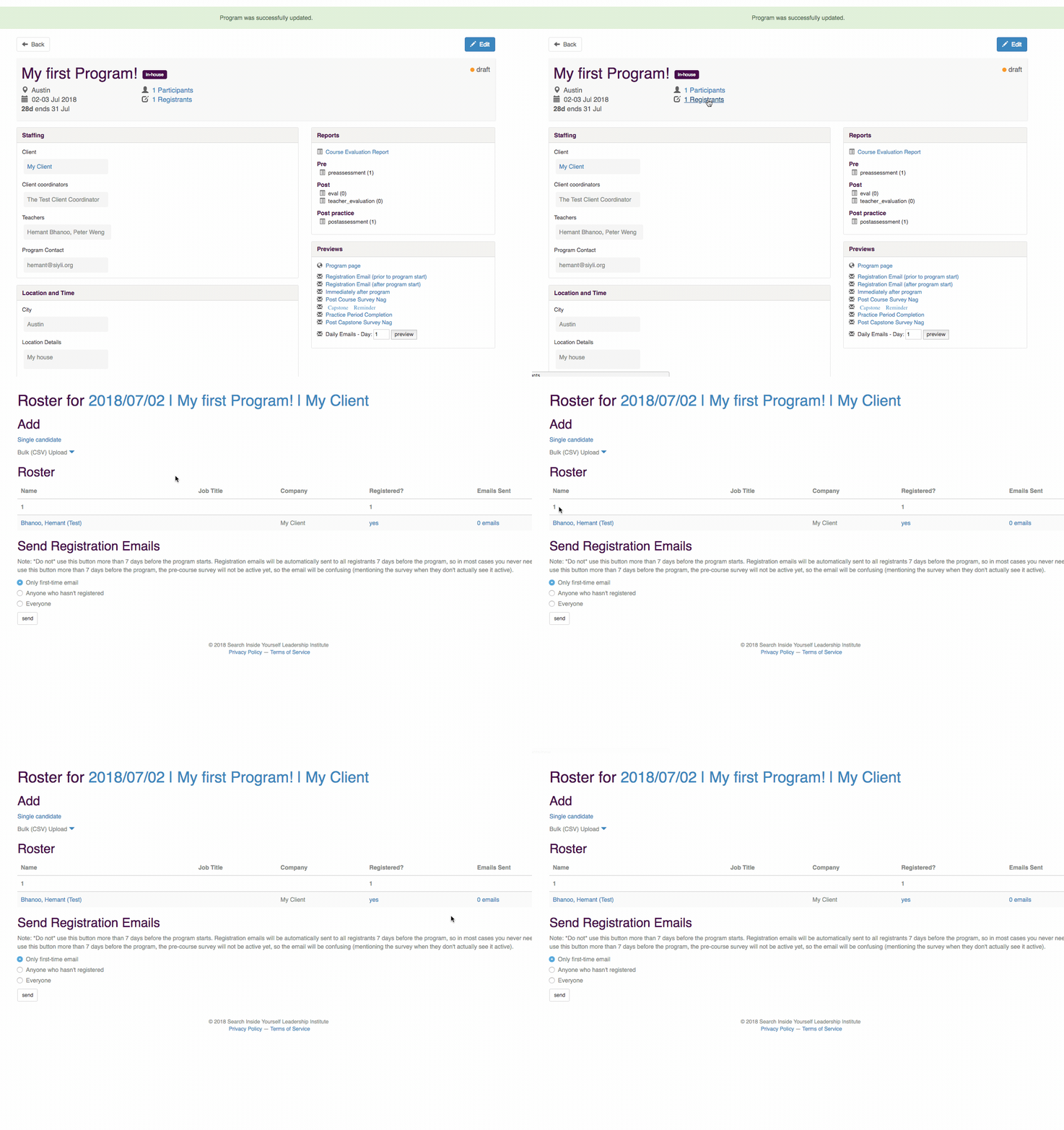
You can either add people one at a time, or all in one go.
Adding a Single Candidate
To add a single candidate, click on 'single candidate' under the Add section on the Roster page, and fill in their details:
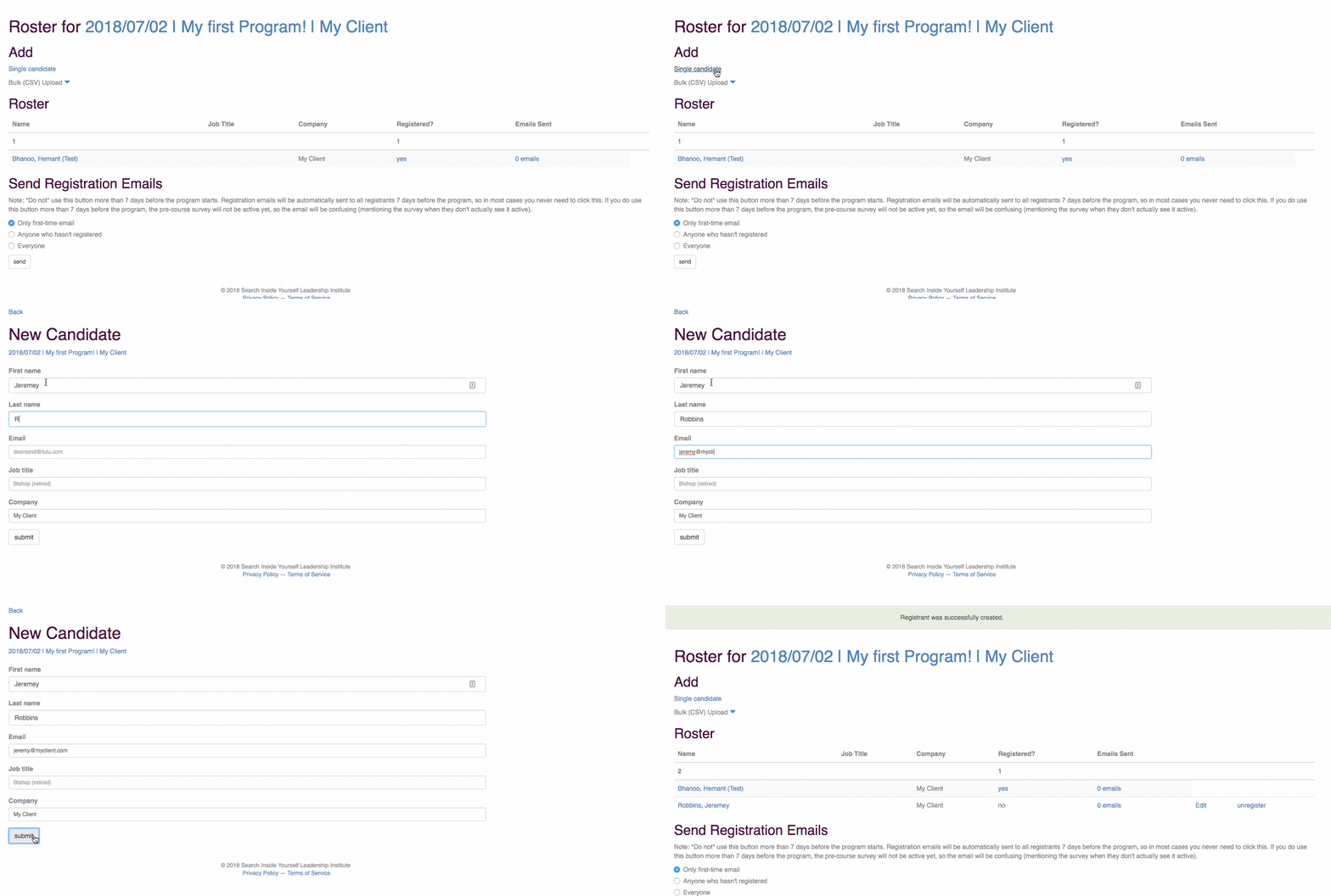
You can add users with either email addresses or phone numbers, depending on what contact information you have for them. If you add only a phone number, we will send them SMS messages rather than emails.
NOTE: You don't need to click on Send Registration Emails! This will happen automatically at the right time, assuming the program is 'live'
Adding Multiple Candidates
Sometimes, you might have a list of names and email addresses that you get from another tool or from your client.
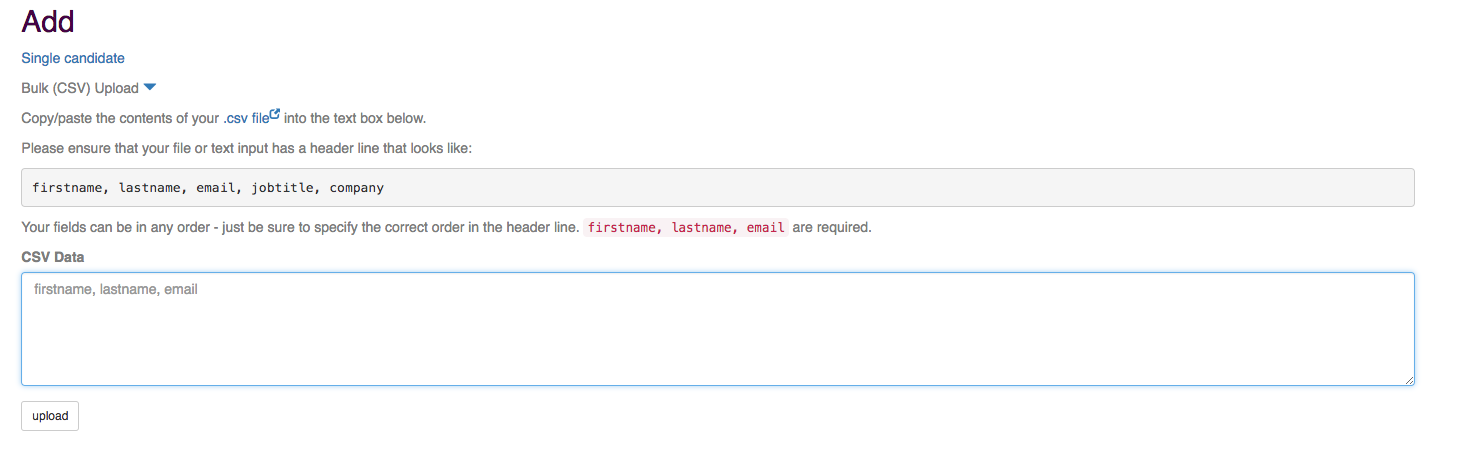
In that case you can upload them all at once as follows:
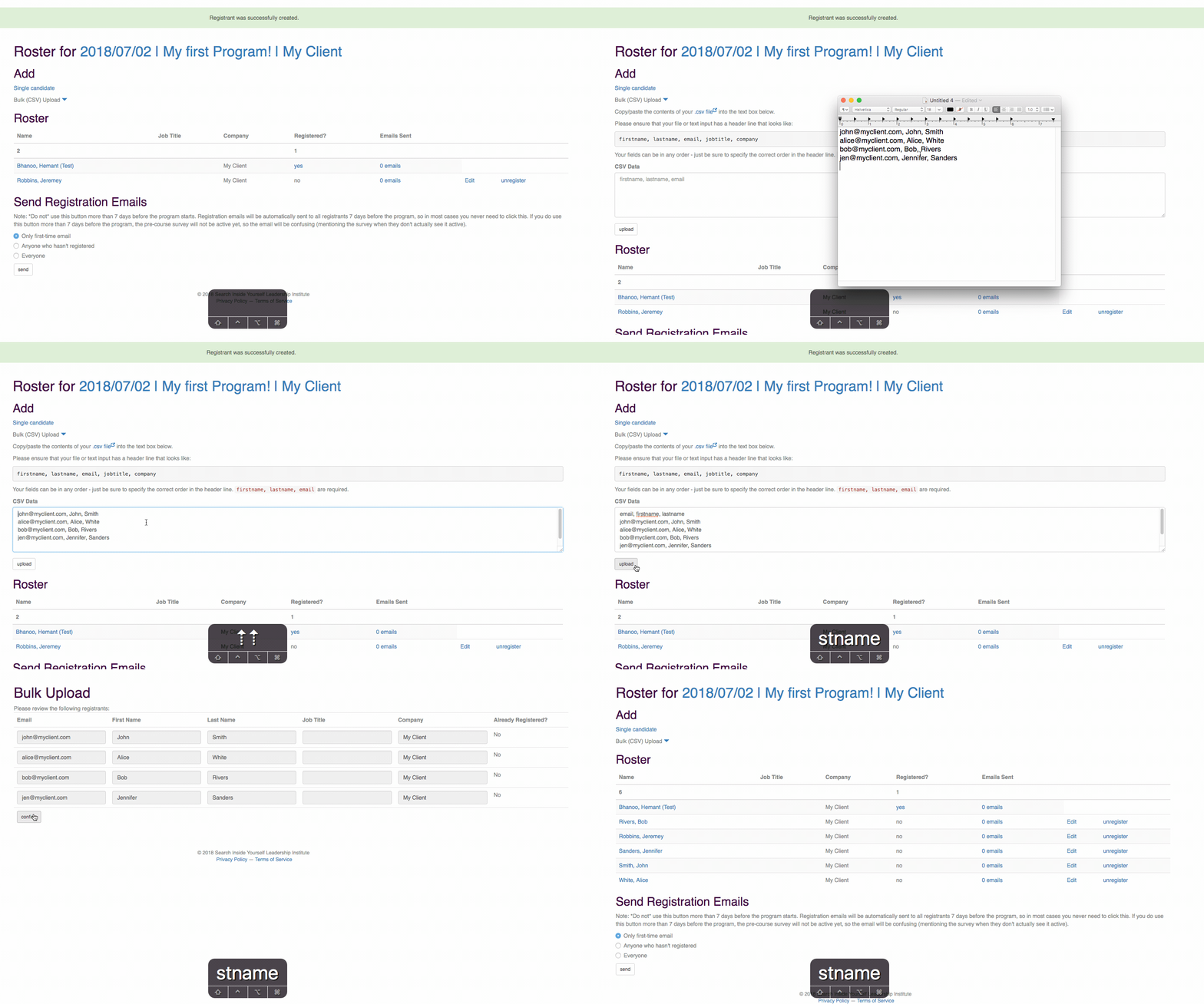
- Click on Bulk (CSV) Upload
- Copy/Paste your data into the textbox
- Add a 'header' line that tells the system what order your fields are in
- Submit
- Double check your data
- Confirm
Here's an example of that in action:
Comments
10 comments
Hey everyone! 🌟 Exciting news! We're kicking off a fascinating class on advanced coding techniques. Join us for an immersive learning experience. Don't miss out on the chance to level up your skills! 💻✨ #CodingClass #TechGenius
Note: TG macro functionality enhances your learning journey, ensuring seamless navigation.🚀
Self serve custom, simply drag and drop them in the desired order within the settings, helping streamline processes like RBT
That’s a clear process for managing participants! It’s great how easily you can invite users and automate registration emails. Just like a Final Grade Calculator tool simplifies student grading, this system streamlines enrollment and communication efficiently.
ig video viewer Program emails will automatically get sent to participants through my.siyli.org. In some cases you may want to send an additional adhoc email to participants. To do this, go into the program and click "Participants." Scroll down to the bottom of the page the the section "Send Emails" and select "Custom Email"
On lease truck Program emails will automatically get sent to participants through my.siyli.org. In some cases you may want to send an additional adhoc email to participants. To do this, go into the program and click "Participants." Scroll down to the bottom of the page the the section "Send Emails" and select "Custom Email"
swiss chalet prices and menu Program emails will automatically get sent to participants through my.siyli.org. In some cases you may want to send an additional adhoc email to participants. To do this, go into the program and click "Participants." Scroll down to the bottom of the page the the section "Send Emails" and select "Custom Email"
Using Police Report Online Nepal, users can submit reports, upload documents, and stay updated on case progress anytime.
2go track automatically get sent to participants through my.siyli.org. In some cases you may want to send an additional adhoc email to participants. To do this, go into the program and click "Participants." Scroll down to the bottom of the page the the section "Send Emails" and select "Custom Email"
guts pfp automatically get sent to participants through my.siyli.org. In some cases you may want to send an additional adhoc email to participants. To do this, go into the program and click "Participants." Scroll down to the bottom of the page the the section "Send Emails" and select "Custom Email"
salary vs dividend tax strategy CPA Program emails will automatically get sent to participants through my.siyli.org. In some cases you may want to send an additional adhoc email to participants. To do this, go into the program and click "Participants." Scroll down to the bottom of the page the the section "Send Emails" and select "Custom Email"
Please sign in to leave a comment.