
Sometimes within a single SIY class you will have various groups attending together. In a company this could be people on the same team. For public or invite-only programs you may have multiple people from different organizations.
If you want to keep track of these groups, you can assign participants to Cohorts. When we have assessment and eval data from enough participants in the same cohort, we will break out that information and show it to you on reports.
For example, you could have cohorts like "Sales Team", "Marketing Team", etc. and assign multiple participants to each one. Then we'll show you that breakdown on the final reports.
Setting Cohorts
When adding single registrants you can set their cohort:
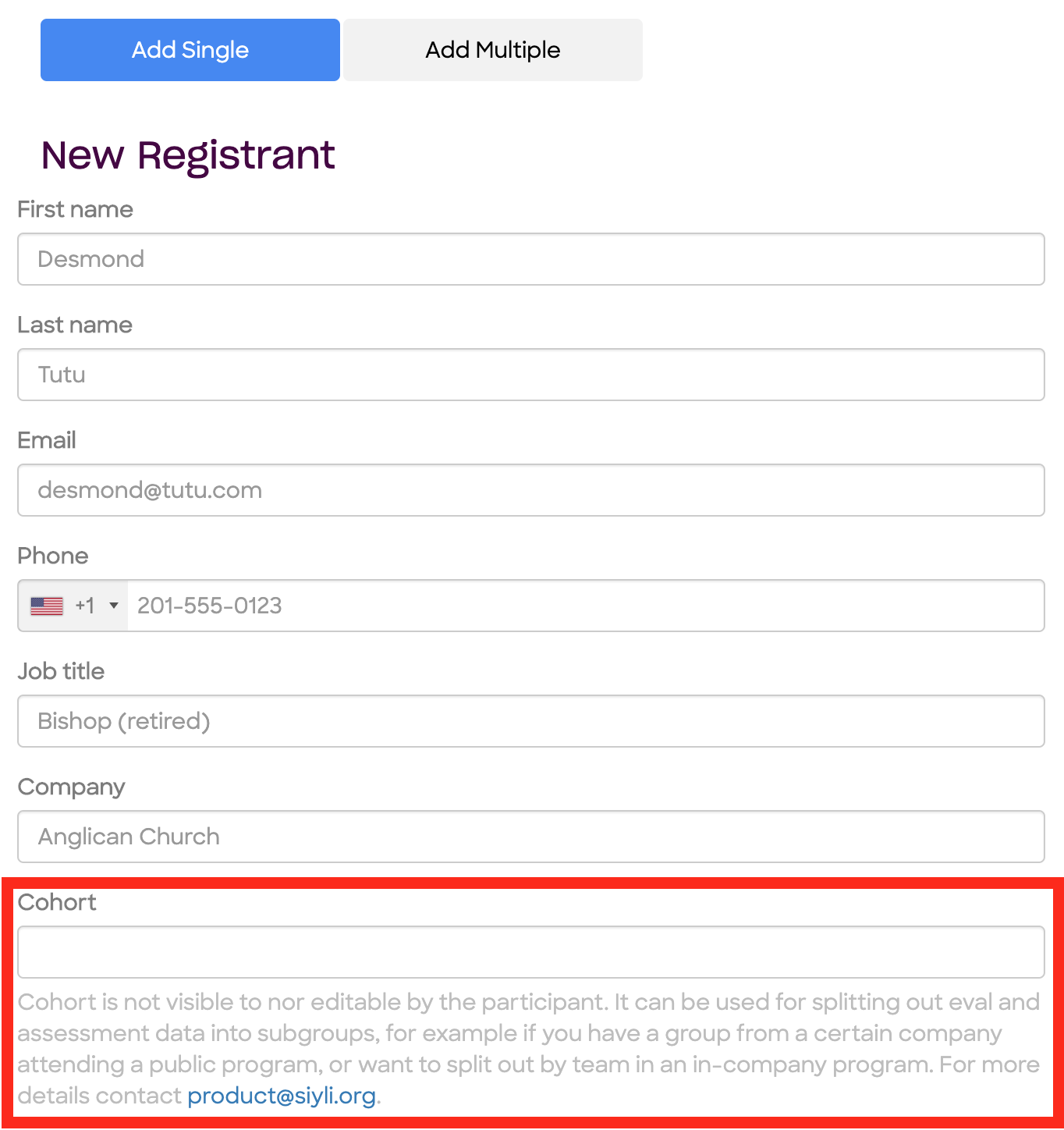
When adding multiple registrants you can also include a Cohort field in the CSV.
If you already have participants registered, you can also update their Cohort field on the Edit Participant page.
Viewing data by cohort
Coming soon!
This will be available in the Course Evaluation Report and the soon-to-come Pre-/Post-assessment Comparison. In the meantime, if you want data broken out by cohort for one of your existing courses, you can email us at mysiyli@siyli.org.
Comments
11 comments
Locksmith local Coming soon!
This will be available in the Course Evaluation Report and the soon-to-come Pre-/Post-assessment Comparison. In the meantime, if you want data broken out by cohort for one of your existing courses, you can email us at
Self serve custom, simply drag and drop them in the desired order within the settings, helping streamline processes like Seo.
Pizza Coming soon!
This will be available in the Course Evaluation Report and the soon-to-come Pre-/Post-assessment Comparison. In the meantime, if you want data broken out by cohort for one of your existing courses, you can email us at
psa appointment lipa Program emails will automatically get sent to participants through my.siyli.org. In some cases you may want to send an additional adhoc email to participants. To do this, go into the program and click "Participants." Scroll down to the bottom of the page the the section "Send Emails" and select "Custom Email"
Get started orca slicer Program emails will automatically get sent to participants through my.siyli.org. In some cases you may want to send an additional adhoc email to participants. To do this, go into the program and click "Participants." Scroll down to the bottom of the page the the section "Send Emails" and select "Custom Email"
Our invisible text generator provides espacio en blanco special Unicode blank characters that behave like real input while remaining visually empty, allowing users to test field behavior, structure entries, and prepare organized data before submission.
In South Africa, many people depend on trusted resources to stay updated about the SASSA SRD R370 grant, including checking SASSA Status Check Tool application status, payment dates, and banking detail
rta penalties Program emails will automatically get sent to participants through my.siyli.org. In some cases you may want to send an additional adhoc email to participants. To do this, go into the program and click "Participants." Scroll down to the bottom of the page the the section "Send Emails" and select "Custom Email"
GWA Calculator PH, which helps students manage academic performance through a simple and efficient grading system. Just as cohort tools organize learners and assessments for better educational outcomes, GWA Calculator PH gwacalculatorph allows students to quickly and accurately calculate their General Weighted Average, helping them monitor progress, save time, and make informed academic decisions with ease.
Those who successfully finish the two-day SIY program that you lead can be presented with a certificate of completion
stick war legacy mod apk
Mini Australian Shepherd Coming soon!
This will be available in the Course Evaluation Report and the soon-to-come Pre-/Post-assessment Comparison. In the meantime, if you want data broken out by cohort for one of your existing courses, you can visit us at
click here
Please sign in to leave a comment.