You can see previews of all the emails that will be sent out on your manage/programs page in the Previews box:
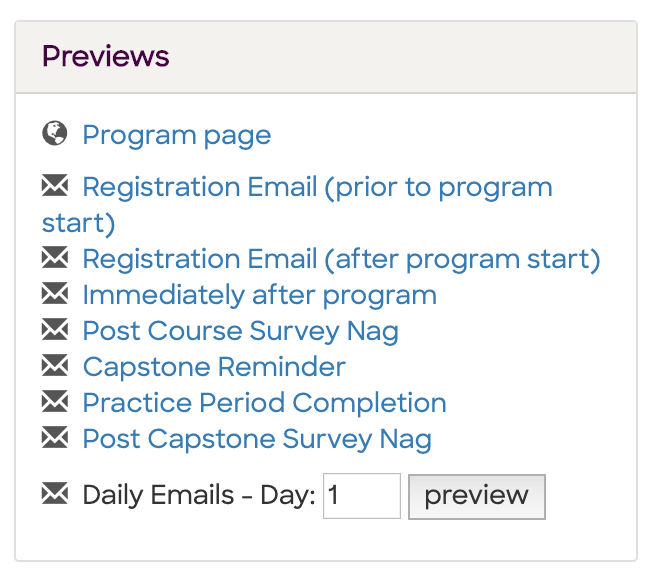
The following table helps you understand when each email is sent:
| Email |
Schedule |
| Registration Email (prior to program start) |
- For any registrant added earlier than 7 days before the program, will be sent 7 days before the program.
- For any registrant added within 7 days of the program start, will be sent almost immediately (within an hour of adding the registrant)
- During the 7 days before the program, will be re-sent up to 2 times as a reminder to any registrant who hasn't yet completed their registration
|
| Registration Email (after program start) |
- For any registrant added after the program starts, will be sent almost immediately (within an hour of adding the registrant)
- During the 28-day challenge, will be re-sent up to 3 times to any registrant who hasn't yet completed their registration
|
| Immediately after program |
- Sent to all participants within an hour of the program ending
|
| Post Course Survey Nag |
- Starting after the program finishes, will be sent every couple days up to 2 total times to any participant who has not completed the evals
|
| Capstone reminder |
- If the program has a capstone enabled, will be sent a week after the program finishes
|
| Practice Period Completion |
- If the program has a capstone enabled, will be sent as soon as the capstone finishes and you've entered a URL for the capstone video recording.
- If you do not have a capstone video recording, you need to send this email manually by going to the Participants page, scrolling to the bottom, and sending the "capstone_done" email.
- For programs with no capstone, will be sent after the 28-day challenge finishes
|
| Post Capstone Survey Nag |
- Starting after the "Practice Period Completion" email is sent, will be sent every couple days up to 2 total times to any participant who has not completed the postassessment
|
| Daily Emails |
- For programs/participants configured with daily emails, will be sent each morning
- For programs/participants configured with weekly emails, will send on days 1, 8, 15, 22, 29
|

Comments
8 comments
@slope Having this schedule in one place makes things much easier to plan for. Each email type and its timing is super helpful.
You can program emails and see previews of all the messages that will be sent directly on your manage/programs page in the Previews box, making it easier to plan your communication. Just like using a Calculadora de porcentaje simplifies percentage calculations, previewing emails ensures accuracy and efficiency in your campaigns.
You can program emails and see previews of all the messages that will be sent directly on your manage/programs page in the Previews box, making it easier to plan your communication. Just like using a Quick percentage calculator simplifies percentage calculations, previewing emails ensures accuracy and efficiency in your campaigns.
my aadhaar having this schedule in one place makes things much easier to plan for. Each email type and its timing is super helpful.
You can program emails and see previews of all the messages that will be sent directly on your manage/programs page in the Previews box, making it easier to plan your communication. Just like using a sleep calculator simplifies percentage calculations, previewing emails ensures accuracy and efficiency in your campaigns.
Thanks for the info! The preview feature sounds really helpful for checking emails before they go out bhoomi.
Very useful update! The previews box makes it easier to manage rc status check communication efficiently.
Good to know This will definitely help in ensuring speedx tracker the emails look correct before sending.
Please sign in to leave a comment.